



At a glance
Check the label on your DVD drive – other drive makes use different motors.
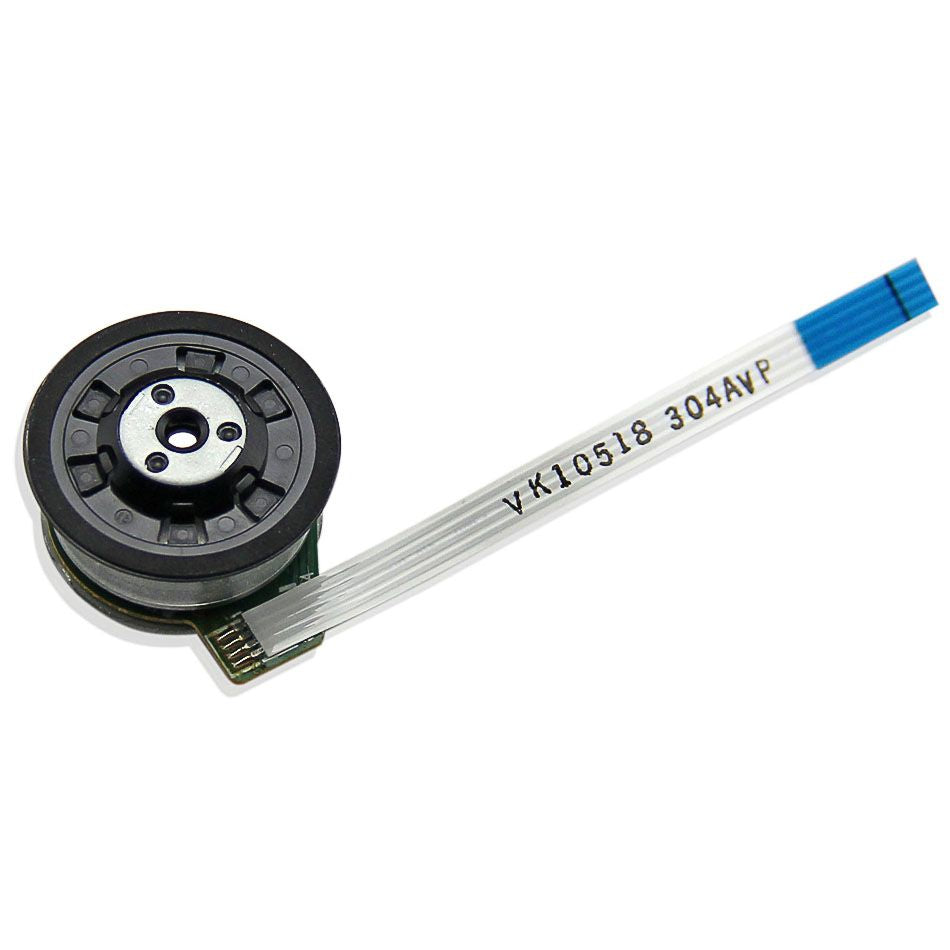
Remove the DVD drive from the console, open the drive casing, unclip the spindle motor ribbon, swap the old spindle motor for the new one, refit the ribbon, then reassemble.
Why medium: Needs the console opened and delicate ribbon or flex cables unclipped and refitted. Easy to damage if rushed, but no soldering.
Drive opened · ~12 small Torx/Phillips · laser ribbons
Key features
- Fixes discs not spinning, noisy spin or unreadable disc errors
- Supplied with flex ribbon attached
- Original drive board stays, so the drive stays paired
Compatibility
- Xbox 360 (original) – Lite-On DG-16D2S drive
- Does not fit Xbox 360 Slim
- Does not fit Xbox 360 E
Installation
Tools needed (not included)
Technical specs
In the box
- 1 × Spindle motor with flex ribbon cable
This is a DIY part for you to fit yourself. Fitting needs care and, where stated, soldering or other technical skills – see our fitting guides. We’re not responsible for damage caused by incorrect fitting, or for an existing fault in your console. Replacing a part may not fix your fault, as faults can have more than one cause. This doesn’t affect your statutory rights.Fitting guides
Description
Product Safety
 Choking Hazard: Small Parts
 Prop 65 Cancer and Reproductive Harm Warning
 Keep out of reach of children
 Magnets
 Disconnect before fitting
 Check compatibility
 Read instructions
Manufacturer: Assecure Limited T/A ZedLabz · The Outbuildings, Grove Farm Road, Maldon, Essex, CM9 8LR, United Kingdom · support@zedlabz.com
EU responsible person: FFB Estonia OÜ · Päevalille tn 6-15, Haabersti linnaosa, 13517 Tallinn, Harju maakond, Estonia · finance_estonia@fulfillment-box.com
Payment & Security
Your payment information is processed securely. We do not store credit card details nor have access to your credit card information.


