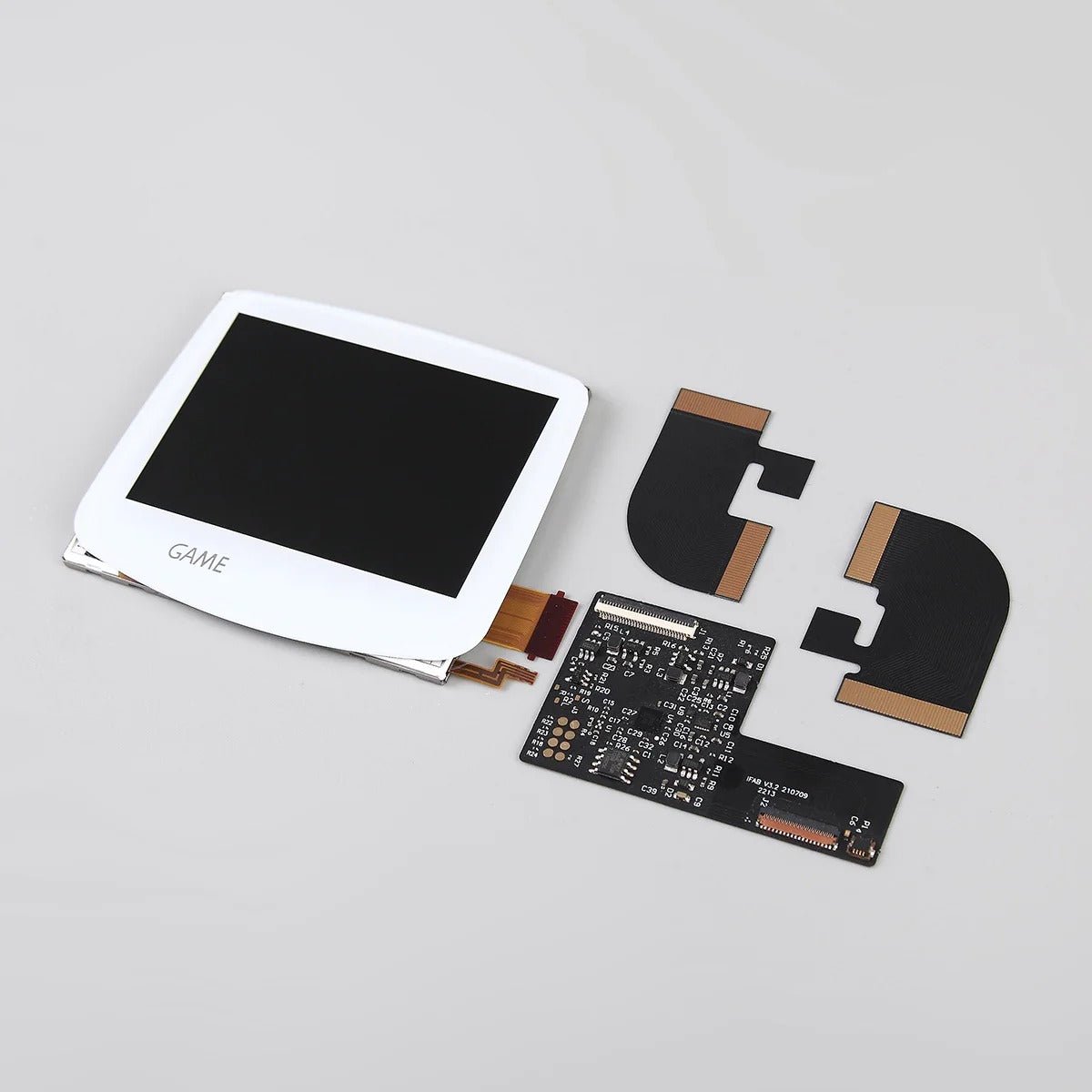
Features:
- Laminated ITA TFT screen kit for Game Boy Advance GBA AGB
- Lens pre-laminated to screen assembly
- 240x160 resolution matching original GBA display
- Brightness adjustment supported via touch sensor
- Requires laminated shell for install
Description:
Upgrade your Game Boy Advance with this laminated ITA TFT screen kit, designed to improve visibility while maintaining the original look and feel of the console. The laminated design means the lens is pre-fitted to the display, removing the need to align a separate lens during installation.
It retains the original 240x160 resolution, making it suitable for users who prefer the original pixel structure while improving brightness and clarity compared to the stock screen.
The kit is intended for users carrying out a screen upgrade or repair. Once installed, the display supports adjustable brightness via a touch sensor, allowing you to adapt the screen to different lighting conditions.
Before you begin:
Please carry out a bench test before installing this screen. Connect the screen while it is outside of the console and power on the device to confirm it is working correctly.
Keep all protective films and labels in place during testing. Do not remove these until you are satisfied the screen is functioning as expected.
If you notice any issue during testing, please contact support before proceeding with installation. Screens and ribbon cables are fragile, so care should be taken during handling and fitting.
Further info:
This laminated ITA TFT kit is designed for the Game Boy Advance AGB model. The display and lens are pre-laminated, which helps reduce the chance of dust entering between the lens and screen during installation.
Installation typically requires a modified shell. A laminated ITA ready shell is recommended, as using a standard shell will require significant cutting to fit the display.
For 40 pin motherboard versions, removal of the C54 capacitor may be required for compatibility.
The screen supports adjustable brightness levels and has a low power draw on lower brightness settings.
Compared to IPS kits, this display maintains the original resolution and pixel structure. Viewing angles may differ compared to IPS displays.
The kit includes the components required to install the screen into a modified housing. Additional tools such as a soldering iron and solder are required (tools not included).
Installation tips:
- Bench test the screen before final installation
- Use a laminated ready shell to reduce cutting requirements
- Handle the ribbon cable and LCD carefully during installation
- Use good quality batteries to help avoid power related issues
- Light refurbishment such as cleaning the power switch can help improve performance
- Replacing aging capacitors can help improve power stability for screen upgrades
FAQ:
Q: What is the difference between this and an IPS screen?
A: This screen keeps the original GBA resolution and pixel structure, while IPS kits typically offer different scaling and viewing characteristics.
Q: Does this kit require soldering?
A: Soldering is typically required for brightness control and full functionality.
Q: Do I need to modify my shell?
A: Yes, most standard shells require cutting. A laminated ITA ready shell is recommended.
Q: What should I do before installing the screen?
A: It is recommended to carry out a bench test before installation. Connect the screen while outside of the console and confirm it is working correctly before fitting it into the shell. Keep protective films in place during testing and contact support if you notice any issues before installation.
Product safety:
- This product contains small components, keep out of reach of children
- LCD and ribbon cable are fragile and should be handled with care
- Take care when using tools during installation to avoid damage to the console
- Avoid pressure or impact on the screen during and after installation
This is a third party product and is not manufactured, sponsored, endorsed or licensed by Nintendo.
Browse the range