



At a glance
Key features
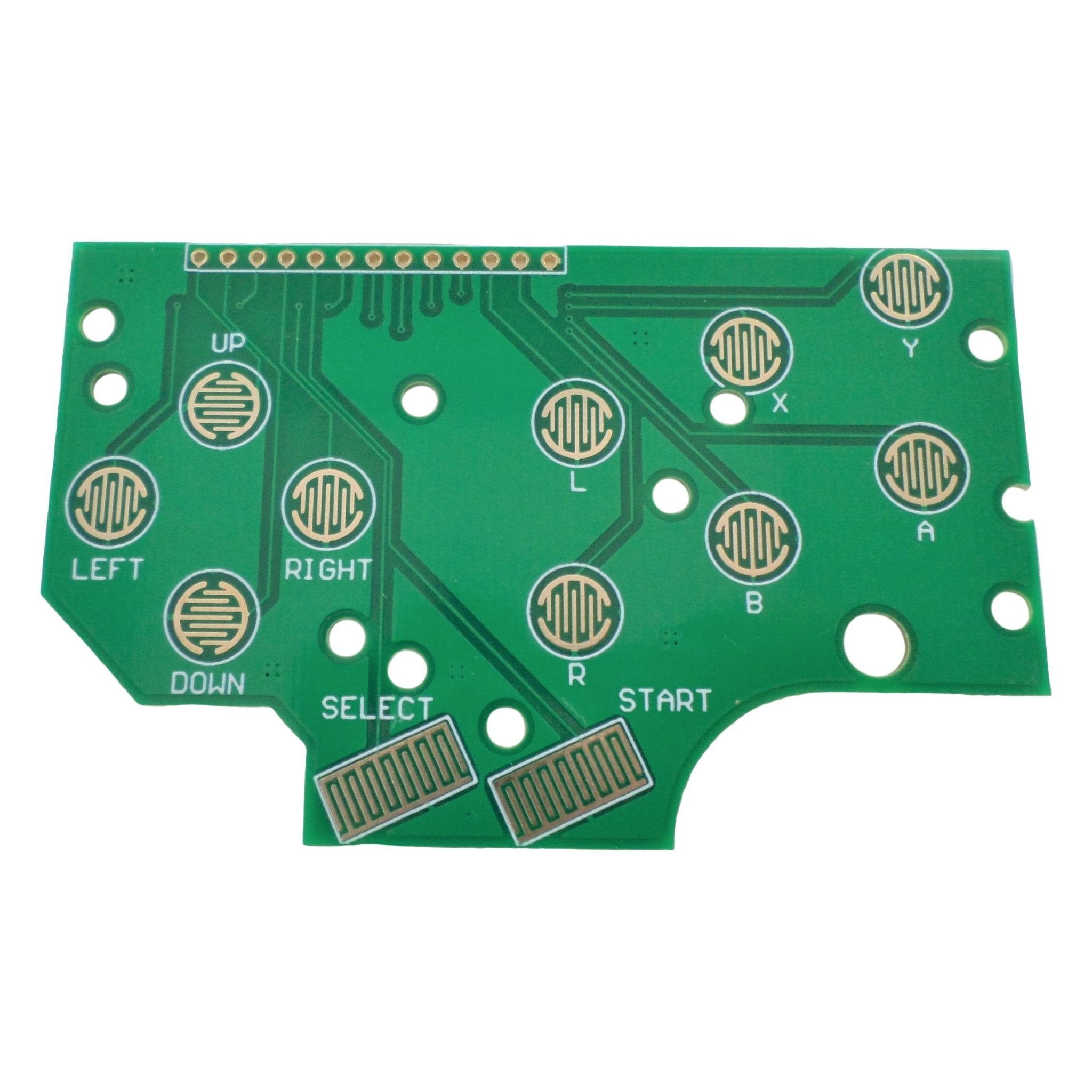
- 6 face-button PCB for Game Boy Zero builds
- Inputs for D-pad, A, B, X, Y, L, R, Start and Select
- Replacement or upgrade for DIY Pi handhelds
Compatibility
- Game Boy Zero
Installation
Fit the 6-button PCB in the DMG front shell, then solder the button wires and ground from the board to the Raspberry Pi GPIO pins and route them inside the shell.
Why hard: A wired mod: several thin wires soldered to small points on the board and routed inside the case. Best for those with soldering experience.
DIY build · several wires to Pi GPIO
Tools needed (not included)
Technical specs
In the box
- 1 × 6-button PCB
This is a DIY part for you to fit yourself. Fitting needs care and, where stated, soldering or other technical skills – see our fitting guides. We’re not responsible for damage caused by incorrect fitting, or for an existing fault in your console. Replacing a part may not fix your fault, as faults can have more than one cause. This doesn’t affect your statutory rights.Fitting guides
Description
Product Safety
 Prop 65 Cancer and Reproductive Harm Warning
 Keep out of reach of children
 Hot surface
 Use ventilation
 Disconnect before fitting
 Check compatibility
 Read instructions
Manufacturer: ZedLabz · Grove Farm Rd, Maldon, CM9 8LR, UK · support@zedlabz.com
EU responsible person: FFB Estonia OÜ · Päevalille tn 6-15, Haabersti linnaosa, 13517 Tallinn, Harju maakond, Estonia · finance_estonia@fulfillment-box.com
Payment & Security
Your payment information is processed securely. We do not store credit card details nor have access to your credit card information.


