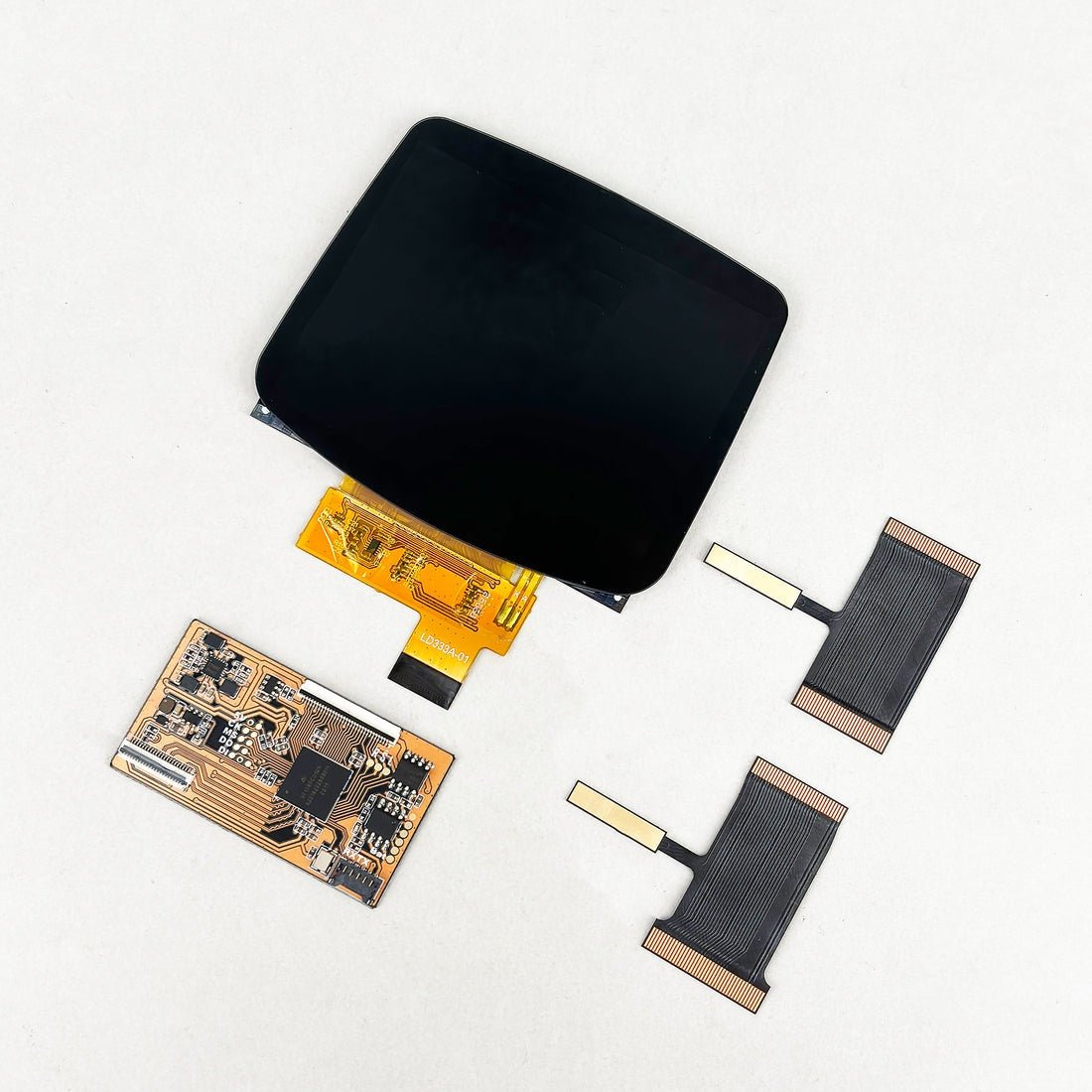
Features:
- 3.2" IPS panel with full lamination to reduce glare and dust.
-
Requires IPS MAX shell to use this display (sold separately)- High resolution of 960×640 for crisp, vibrant visuals.
- Upload a custom logo at the bottom of the screen (Requires burner sold separately)
- 5x GBC Zoom: Play Game Boy Color games with a massively enlarged display.
- Shell cutting is required kit - Laminated ITA ready shell recommended.
- AGS-101 Color Mode: Switch to classic color tones for an authentic retro feel.
- Battery Indicator: Displays real-time power levels when a wire is soldered to the positive terminal.
Description:The AGB IPS MAX is a groundbreaking display kit designed for the Game Boy Advance, featuring a 3.2-inch full-laminated IPS screen — the largest ever for GBA mods.
With a sharp 960×640 resolution and a dedicated customizable logo area, this kit combines modern clarity with personalized style.
Additional features like real-time battery indicators and enhanced GBC compatibility make it the all-in-one solution for retro gaming enthusiasts.
Please be aware there is no printed logo on the glass of this display screen due to the enlarged size, the logo is displayed digitally on the LCD panel once the unit is powered on.
NOTE:
1) Only compatible with IPS MAX housing shells, not compatible with any other type of shell, you must purchase a FunnyPlaying IPS Max shell to use this screen kit.
2) Soldering is needed for brightness controls; battery indicator is optional.
3) Compatible with OEM original motherboards, Funnyplaying motherboards require another ribbon set which are coming soon and will be available separately.
4) A Burner is required to change the logo (available separately), you can upload your own 4-color BMP image via Type-C and Windows software.
5) Before installing your screen, please bench-test it first to confirm it is working normally.
This simple step makes troubleshooting easier, saves you from fully fitting the screen only to discover a fault, and is required for warranty support. Testing must be done before removing any protective films or adhesive backing, and before installing the screen into the shell. Screens that have been fitted, adhered, handled in a way that creases ribbon cables, or show removed/used adhesive are not eligible for return or warranty replacement. For any warranty claim, the screen must be returned exactly as supplied and tested on a flat bench or tabletop with unused adhesive and uncreased ribbons. Bench-testing ensures any issues can be verified prior to installation and avoids problems later.
You will need to have some patience and good electronics skills to fit this kit, you must purchase the correct IPS MAX shell, you will need to solder wires for brightness controls and battery indication if you require these features, you will need to purchase a burner to change the logo at the bottom of the screen to anything you design, size 960x80 pixels, 4 colour BMP image supported. Windows operating system needed as well as your own USB C cable.
Additional tools needed include a soldering iron and solder if you wish to install the brightness controls or battery indicatior
Please note that the LCD screen and ribbon cable require care to install and are fragile in nature, they are also more susceptible to damage once installed if the console is dropped, LCD screens can crack under pressure or with a impact, our warranty does not cover accidental / user damage of any components in this kit. Replacement LCD screens are available to purchase separately.
Browse the range